
How we share passwords.
When we need to send you a password or login, we never put it in an email. We send a private, view-once link instead. Here is what that looks like, what to do when you get one, and why we work this way.
The short version
Instead of typing a password into an email, we put it in a secure message and send you a link to it. You open the link, press Reveal, and see the message once. The moment you have seen it, it is deleted from our server for good.
It takes you about ten seconds, and it means your password is not left sitting in anyone’s inbox.
What is wrong with email?
Email was never designed for secrets. A password sent by email sits in your inbox and in our sent folder, and passes through several servers on the way, often staying there for years. If either inbox is ever accessed by someone else, or the message is forwarded by mistake, the password goes with it.
Messaging apps, shared documents and spreadsheets have the same problem: the secret stays put long after anyone needs it.
What to do when you get one
1. Look out for our email. It contains a link to vault.pixelperfectwebsites.co.uk. For the most sensitive details, we will also text or phone you a short passphrase.
2. Open the link. You will see a page saying a secure message is waiting. Opening the link does not use it up, so the security software that checks links in your email cannot set it off by accident.
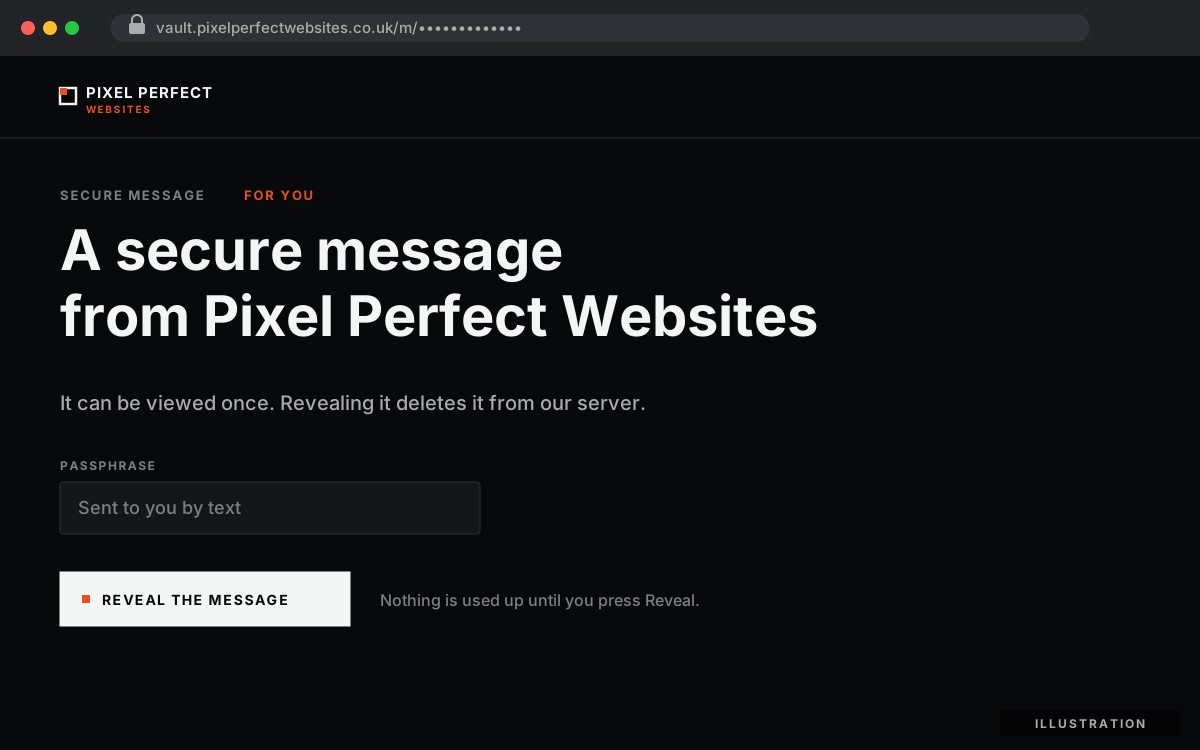
Opening the link shows this page. Nothing is used up until you press Reveal.
3. Press Reveal. If we have sent you a passphrase, type it in first. The message appears on screen.
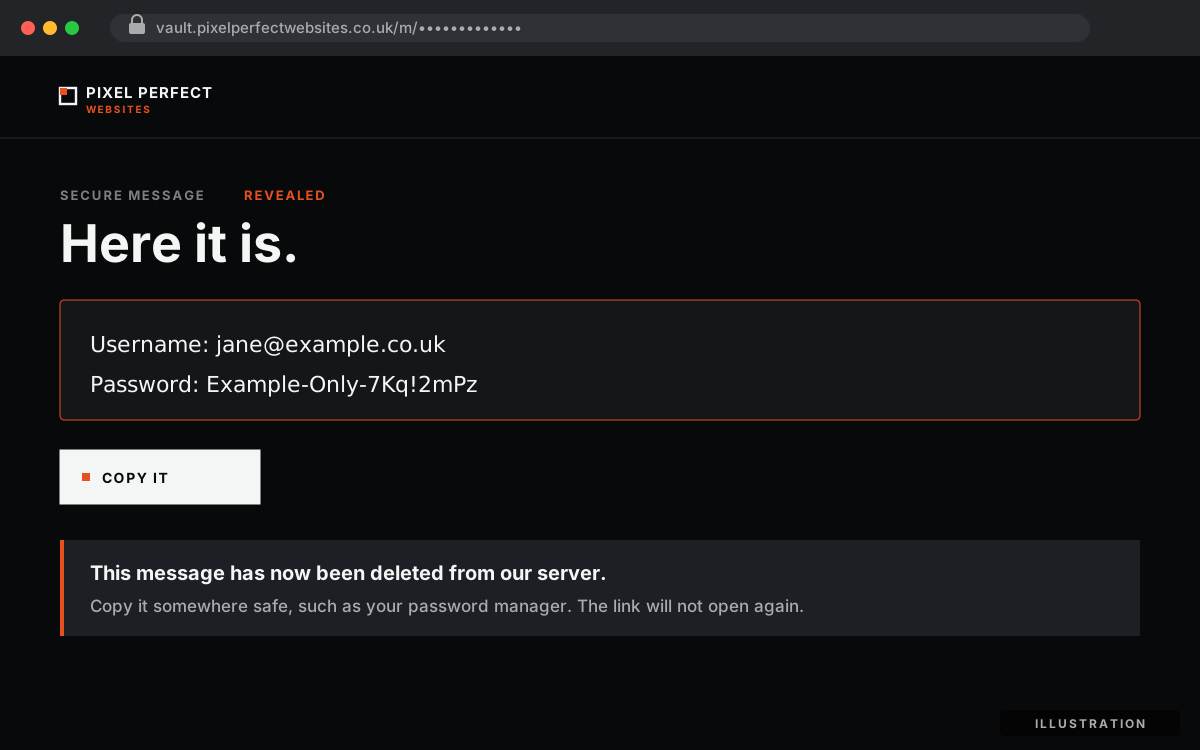
The message is shown once, then deleted from our server. The details shown are an example.
4. Copy it somewhere safe. A password manager is ideal. Once you leave the page, the message is gone. If you need it again, just ask and we will send a fresh link.
Why it is safer
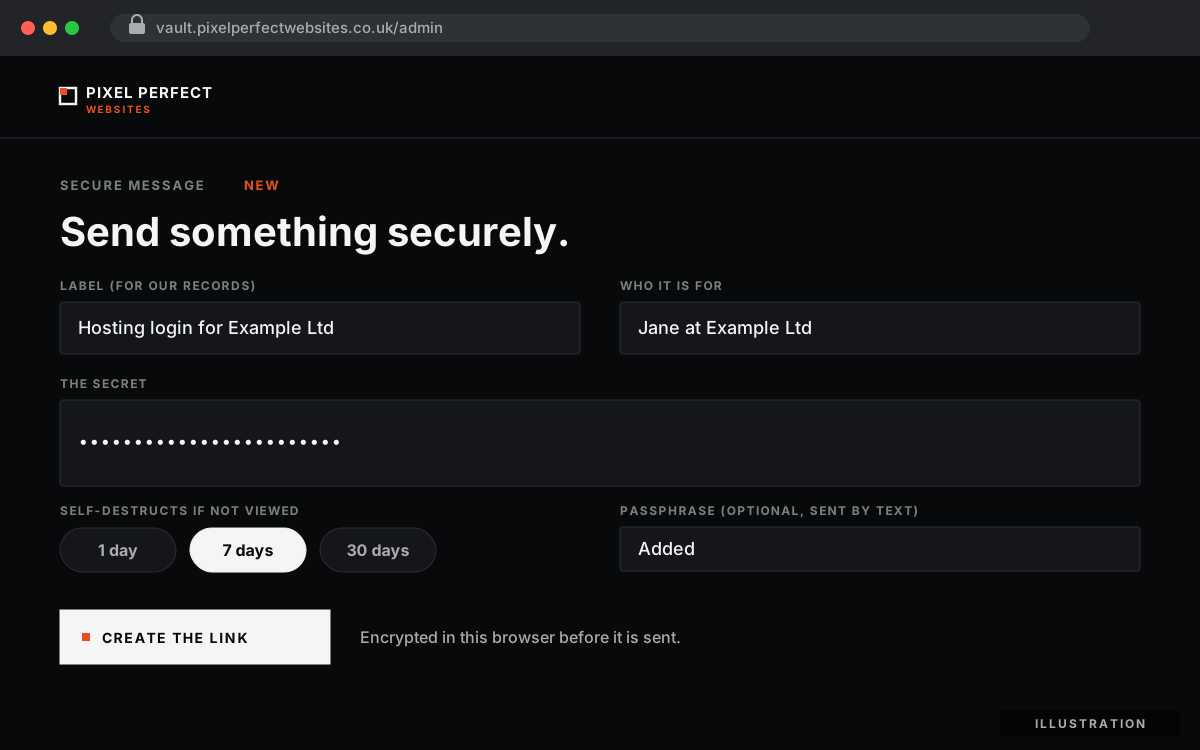
Our side: we write the message, choose when it self-destructs and, where needed, add a passphrase.
It is scrambled before it leaves our computer. The message is encrypted in our web browser before it is sent anywhere. The key that unlocks it exists only in the link we give you, in a part of the address that browsers never send to a server. Our server, our hosting provider and any backups only ever hold scrambled text that is useless on its own.
It can only be read once. Revealing the message deletes it in the same moment. If someone came across the link later, there would be nothing left to see.
It does not hang around. If a message is not opened, it destroys itself after a set time that we choose when we send it.
An extra lock when it matters. For the most sensitive details, we add a passphrase and send it separately by text or phone, never in the same email as the link. Too many wrong guesses and the message is destroyed.
We know when it has been opened. We are notified the moment a message is revealed. If you tell us you never opened it, we know something is wrong and can change the password straight away.
Why we do it this way
Recognised security standards, and many of our clients’ own security reviews, expect sensitive details to be shared like this rather than by plain email. That is good to know, but it is not the reason we do it.
We do it because these are the keys to your website, your hosting and your accounts. A password sent by email is only as safe as every inbox it passes through. A view-once link takes that risk away, and costs you a few seconds.
Staying safe
Our secure messages only ever come from vault.pixelperfectwebsites.co.uk. If you get an email claiming to be from us that asks you to reply with a password, please do not. Call us on +44 (0) 7862 113 439 instead.
Need to send a password to us? Please do not email it either. Get in touch and we will arrange a secure way to do it.
We take the same approach with documents that need signing. Read how our secure document portal works.
Let's talk.
The first exchange costs nothing and is useful either way. If we are not the right company for the job, you will leave knowing what to look for instead.